
YouTube Niche Finder
Type a niche and TubeGrade researches it for you — dozens of sub-topic searches, an outlier score for every video, and the breakout corners of the niche in one view.
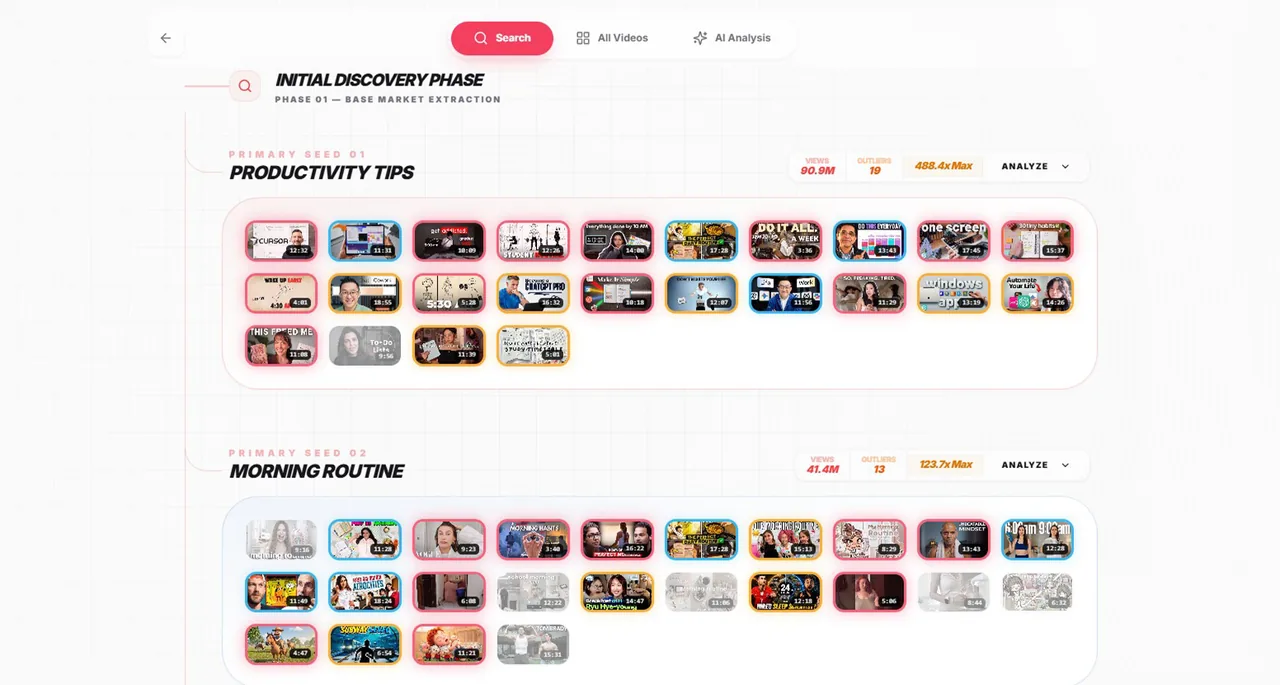
How to research a YouTube niche
- 1
Enter your niche
Type one or more keywords, like “home workout” or “budget travel”, and choose an upload window: all time, this year or this month.
- 2
TubeGrade expands it into sub-topics
It searches YouTube for your keywords, then uses AI to turn the titles it finds into up to 30 more specific sub-topic searches — and runs those too.
- 3
See what is breaking out
Every video gets an outlier score against its own channel, and the results are grouped by sub-topic, so the parts of the niche where videos beat their channels stand out.
- 4
Optional: generate the AI niche report
Turn the outliers into a written strategy report. It is optional and costs 20 credits; the research itself does not use credits.
Why research a niche by outliers
A niche full of big channels can still be wide open, and a quiet-looking one can be crowded. View counts alone do not tell you which. Outliers do: when videos in a sub-topic keep getting several times their channel’s usual views, viewers want more of it than they are getting.
Searching one keyword shows you one slice. Niche Outlier searches the whole niche — up to 30 sub-topics at a time — so you see which corners are hot and which are saturated.
What is in the AI niche report
The report is written from the niche’s confirmed outliers — videos that did at least 2× their channel’s average — and links to the real videos behind its points. It has six parts:
- Niche snapshot — the opportunity, grounded in the numbers
- Hottest sub-niches — ranked by momentum, each with its best example
- Winning title patterns — the repeatable formulas behind the outliers
- Content gaps and video ideas — what is missing, with evidence
- Channels to watch — smaller channels punching above their weight
- Action plan — concrete next steps for entering the niche
Free vs Pro
Free accounts can research 2 niches a month; Pro can research 30. The AI niche report is optional and costs 20 credits each time — free accounts start with 100 credits, and Pro includes 500 credits a month.
Frequently asked questions
What is a YouTube niche finder?
A tool that shows how a topic is really performing on YouTube: which sub-topics get the most views relative to the channels making them, which are crowded, and who is winning. TubeGrade does this with outlier scores across many searches at once.
How does TubeGrade choose the sub-topics?
It first searches YouTube for the keywords you enter, then an AI model reads the titles of the real results and writes up to 30 more specific searches covering different angles of the niche. Those searches run automatically.
How is the outlier score calculated?
A video’s views divided by its channel’s average views. A video with 8× has eight times what that channel usually gets. The AI report only uses videos at 2× or more.
How many niches can I research?
2 a month on the free plan and 30 a month on Pro. The count resets every month; deleting old research does not give searches back.
Does the AI report cost extra?
Yes, 20 credits per report. It is optional — you can research a niche and browse all of its outliers without generating one.
Can I come back to my research later?
Yes. Each niche you research is saved to your research history, so you can reopen it without searching again.
Related TubeGrade features
Research your first niche free
2 niches a month on the free plan — no credit card.