
Research right on YouTube
Outlier scores, channel stats and niche signals overlaid directly on YouTube as you browse. The data finds you — never break your flow.
Works on Chrome, Brave, Edge and Arc. No credit card required.
On the video page
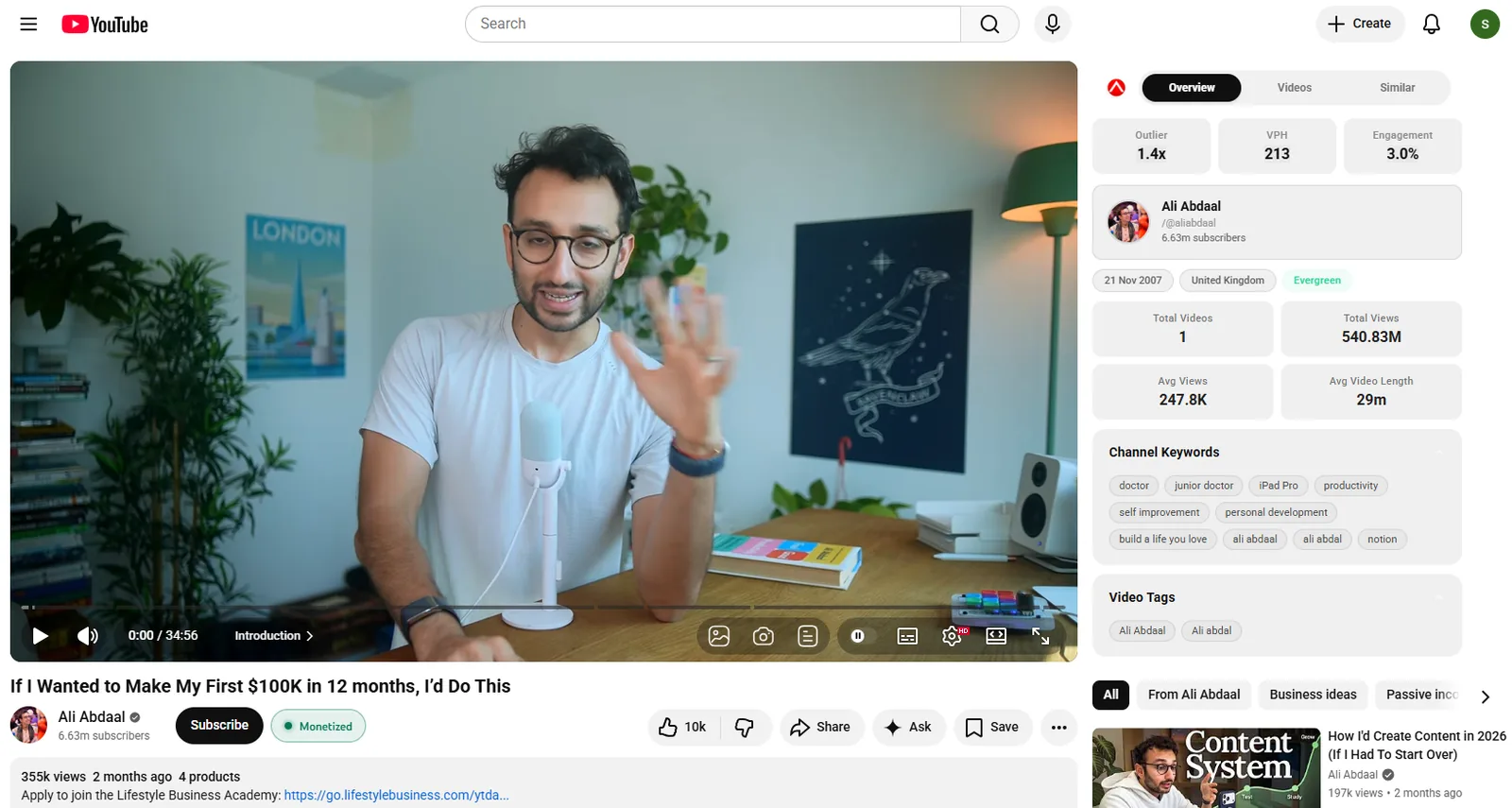
Open any watch page and the numbers that matter are already there.
Performance & engagement scores
Views-per-hour, engagement rate and a growth score rated on every video the moment you open it.
Outlier score
The video’s outlier multiple vs. its channel average — instantly see how hard it is over-performing.
Monetization check
Detects whether the video or Short is monetized — a quick read on the money behind the niche.
Thumbnail download
Preview and download the video’s thumbnail at every available resolution, straight from the page.
Similar thumbnails
ProFind every variation of a winning thumbnail with one-click visual similarity search.
Transcript & script
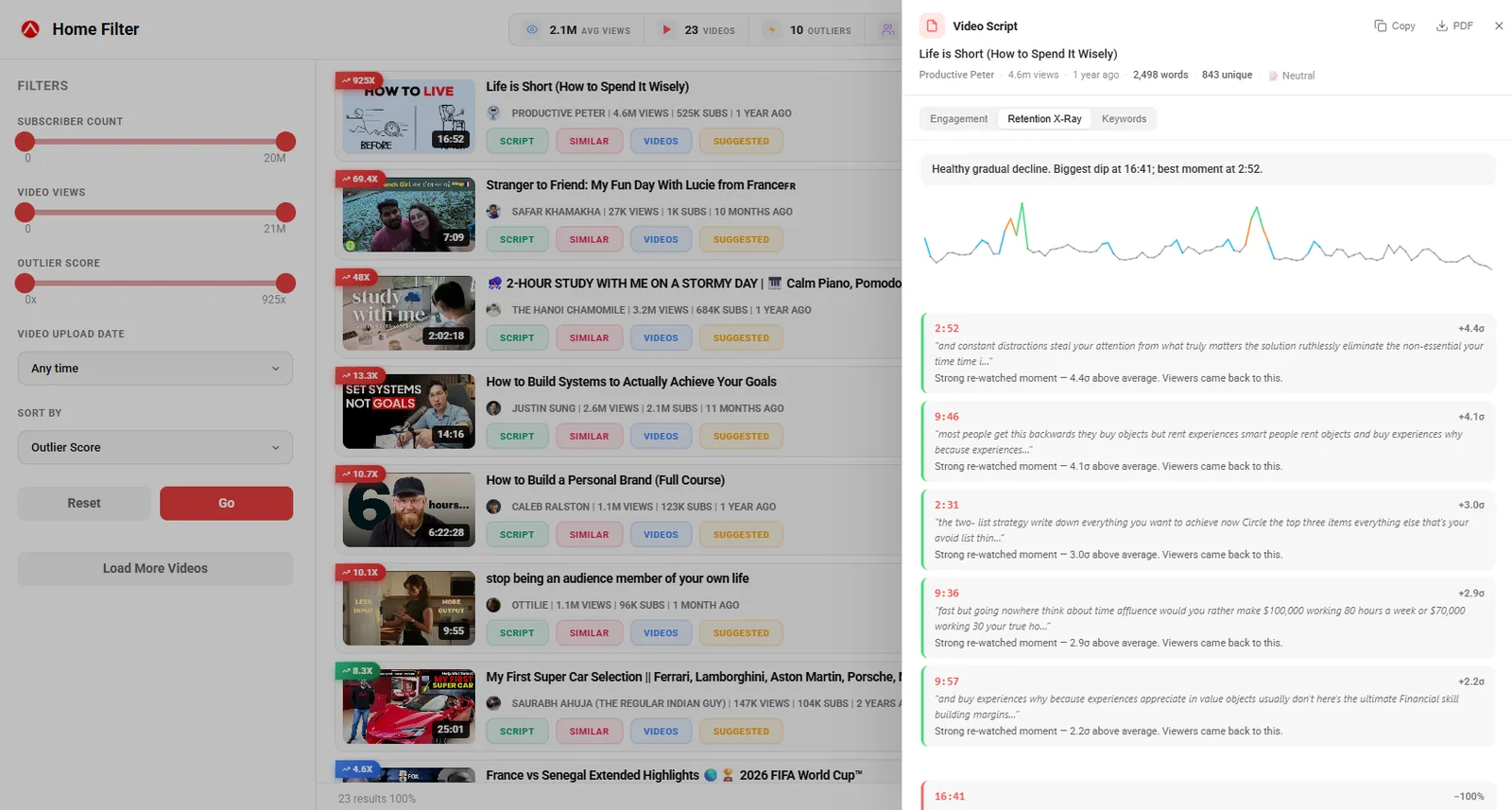
ProPull the full transcript and open the Video Script panel to study structure and hooks.
On your home feed
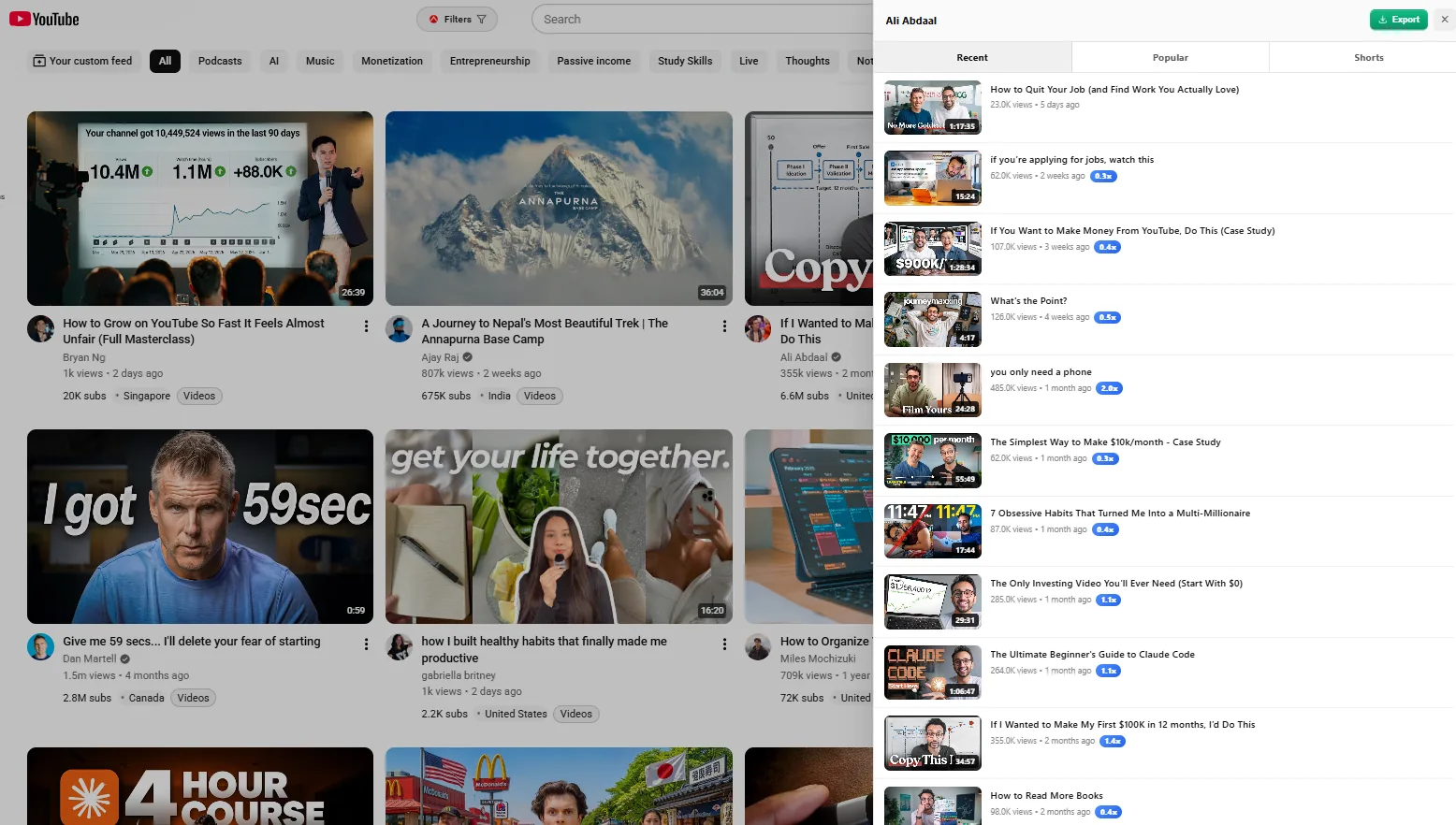
Research while you browse — every card on the homepage carries signal.
Outlier badges on cards
Lightweight badges flag over-performing videos right on your Home feed thumbnails.
Channel insights inline
Subscriber counts and channel signals surfaced on Home cards without opening anything.
Home filters
A full-page Filters overlay to slice the homepage by the criteria you actually care about.
Shorts cleanup
One toggle reversibly hides Shorts shelves and cards so your feed stays long-form.
Quick video stats popup
A floating popup from any card shows that video’s key stats without leaving the feed.

On channel pages
Size up any channel in seconds and pull its catalogue out as data.
Channel deep-stats
Subscriber count, country and channel-level stats rendered right in the channel header.
Channel monetization
See whether the channel is monetized — useful when you are vetting a niche or competitor.
Export videos to CSV
One-click CSV of the channel’s videos. Free up to 10 per export; unlimited on Pro.
Filter a channel’s videos
Apply the Filters overlay to a channel’s uploads to find exactly what you are after.
On search results
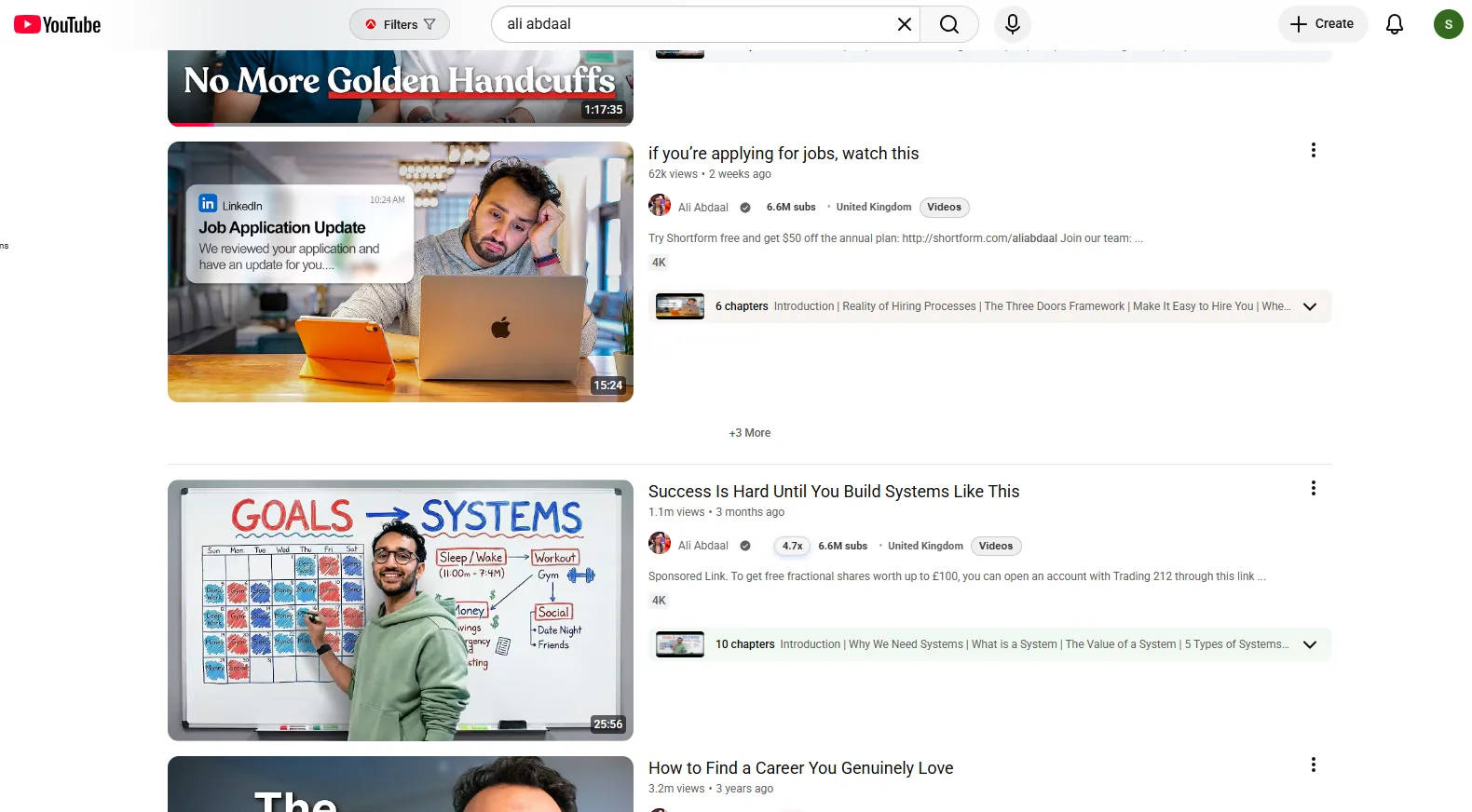
Turn a plain search into a ranked research surface.
Outlier & subscriber badges
Outlier and subscriber badges on every result so winners jump out of the list.
Channel insights inline
Channel context attached to each result card — no need to click through to compare.
Search filters
The same full-page Filters overlay works on search results to narrow the field fast.
Quick video stats popup
Open a floating stats popup from any search result without losing your place.
In YouTube Studio
Write titles and tags with the searches people really type into YouTube.
Keyword suggestions in your title
Start typing a title — while uploading or editing — and see the searches people actually type into YouTube. Click one to use it.
Tag suggestions that fit
The same real searches in the Tags field, added in one click — only ones that fit YouTube’s 500-character tag limit.
A/B test title ideas
Suggestions also appear in the three title variants of YouTube Studio’s A/B testing dialog.
Your country, your language
Suggestions come straight from YouTube in your browser, so they match where you are. Free, no credits — switch it off any time in the extension settings.
Everything in the extension
Every feature in one place. Most are free — a few power tools are part of Pro.